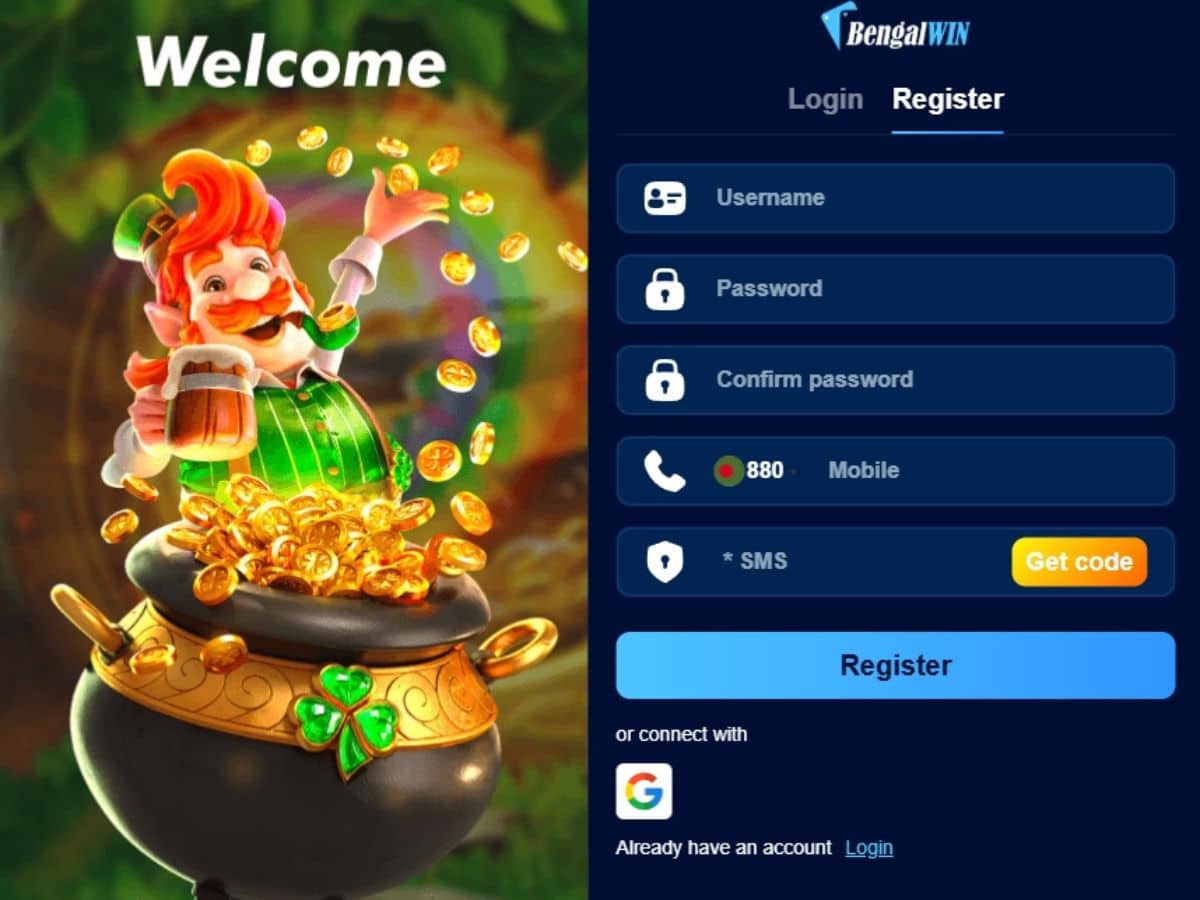

To log in to Bengalwin, open the official site or the Android app and enter the mobile number or email you registered with, plus your password. There is one account for both — you do not need separate logins. If you cannot get in, the cause is almost always one of four things, all covered below.
🇧🇩 বাংলায় পড়ুন: বেঙ্গলউইন লগইন ও পাসওয়ার্ড রিসেট গাইড
Go to the official Bengalwin login →
Before you log in: check you are on the right site
A lot of sites use names very close to Bengalwin’s — different spellings, different endings. Some are unrelated businesses; some exist to collect logins. Typing your password into one of those hands over your account.
Before you type anything, look at the address bar. This site is bengalwin.asia. Our full list of official addresses and channels is on the Official Site & Channels page — bookmark it, and reach the casino from there rather than from a search result or a message.
How to log in
On a phone or computer browser
- Open the official Bengalwin site.
- Tap Login at the top right.
- Enter your registered mobile number or email, then your password.
- Tap Login.
In the Android app
Same details, same account. Once you are in, turn on fingerprint or PIN login from the account menu so you do not have to type the password every time. If you have not installed it yet, our app download guide covers the install and how to avoid fake APK files.
On iPhone there is no app — we checked Apple’s Bangladesh App Store and there is nothing listed. Open the site in Safari and use Add to Home Screen for the same effect.
If you cannot log in
Work down this list in order. In our experience the first two account for most login problems.
1. You are using the wrong identifier
Your number and your email are not interchangeable. If you registered with a mobile number, the email will not work, and the error message will just say your details are wrong. Try the other one before assuming the password is the problem. Also check the number format matches how you registered it — with or without the leading zero or country code.
2. You have more than one account
People who cannot log in often register again rather than resetting. Now the balance is on one account and you are signing into the other. Do not register a second time. Contact support with the number you first used — duplicate accounts also cause withdrawals to be held at verification, which is a much bigger problem later.
3. Too many failed attempts
Repeated wrong passwords can lock the account temporarily. Stop guessing, reset the password instead, and if it stays locked contact support rather than continuing to try.
4. The page itself will not load
Some Bangladeshi mobile networks are slower to reach gaming sites at peak times. Switch between mobile data and Wi-Fi, clear the browser cache, or try the app instead of the browser. If the login screen loads but hangs after you tap Login, that is usually connection rather than credentials — wait and retry before changing anything.
Forgot your Bengalwin password? Reset it by phone number
The reset works through the mobile number on your account, so it only takes a couple of minutes — as long as you use that exact number. Do this on the official site or in the Android app, not from a link someone sent you.
- On the login screen, tap Forgot Password.
- Enter the mobile number you registered with — not a newer SIM, not a family member’s number.
- Wait for the SMS code. Enter it once, exactly as sent.
- Choose a new password you have not used on bKash, Nagad or your email.
- Log in with the new password straight away, so you know it worked.
Two rules make this safer. First, a genuine reset code is one you asked for a few seconds earlier; if a code arrives that you did not request, someone is trying to get into your account — do not share it with anyone. Second, never give a reset code to “support”. Bengalwin staff never need it.
If the reset SMS never arrives
Work through these in order before asking for another code:
- Wrong number entered. Check every digit, and try the format you registered with — with or without the leading 0 or +880.
- The account is on a different number. Many people registered on an old SIM. If the code is going to a number you no longer have, stop and contact support rather than creating a new account.
- Network delay. SMS can be slow at busy times. Wait a few minutes. Requesting five codes in a row does not speed it up and can trigger a temporary block.
- Phone storage or blocked senders. A full inbox or an SMS-blocking app can hide the message. Check your spam or blocked list.
- No signal. Move to a spot with mobile signal; SMS does not arrive over Wi-Fi alone.
Still nothing after that? Message support on WhatsApp (+8801704244245) or Telegram (@BengalwinOfficialBD) with the number you registered and roughly when you signed up.
Account locked after too many attempts
Several wrong passwords in a row can lock the account for a while as a security measure. The worst thing you can do is keep guessing — each new attempt can extend the lock. Stop, use Forgot Password once the lock clears, or contact support on WhatsApp or Telegram if it does not clear. Have your registered number ready; support will not ask for your password.
Keeping your account safe
Most account losses in Bangladeshi online gaming are not hacking — they are people being talked into handing over access. The pattern is consistent:
- Nobody from Bengalwin will ever ask for your password. Not support, not an “agent”, not anyone in a Telegram group. There is no situation where staff need it.
- Nobody will ask for your bKash PIN. Deposits never require it.
- You never pay a fee to release a withdrawal. Anyone asking for one is running a scam.
- Do not reuse your bKash or email password on a gaming account.
- Be suspicious of urgency. “Do this now or lose the bonus” is a pressure tactic, not a real offer.
If you think someone else has your details, change the password immediately and contact support.
New to Bengalwin?
Tap Register instead of Login, enter a Bangladeshi mobile number, set a password and confirm you are 18 or over. Use the number you actually hold bKash or Nagad on — withdrawals go back to a wallet in your own name, and a mismatch is the most common reason a first payout gets delayed.
New accounts get ৳20 in free credits and a free spin worth up to ৳188. The welcome bonus is a 130% match on a first deposit of ৳500 or more, applied automatically with no code. Deposits start at ৳100; withdrawals start at ৳500 and usually land in 1–3 hours — see the withdrawal guide for the full picture.
Frequently asked questions about Bengalwin login
How do I reset my Bengalwin password?
Tap Forgot Password on the login screen, enter the mobile number you registered with, type in the SMS code and set a new password. Use the official site or the Android app.
Why is my Bengalwin login not working?
Usually one of four things: the wrong identifier (number vs email), a second account you signed up for by mistake, a temporary lock after too many attempts, or a slow connection. Work through them in that order.
The password reset SMS is not arriving. What should I do?
Check the number and its format, wait a few minutes instead of requesting more codes, and check blocked messages. If the code goes to a number you no longer have, contact support on WhatsApp or Telegram.
Do I need a separate login for the app?
No. One account covers the Android app and the website, with the same balance. There is no iOS app; on an iPhone, log in through Safari.
Will Bengalwin support ever ask for my password or OTP?
No. Anyone asking for your password, a reset code or your bKash PIN is a scammer, whatever name they use.
I forgot which number I registered with.
Contact support with the numbers you might have used and any deposit details you remember. Do not open a new account while you sort it out.
Can I change my registered mobile number?
Contact support. Withdrawals are tied to a wallet in your own name, so the number on the account is part of verification and cannot simply be edited.
Play responsibly
Set a deposit limit in your account settings before you play, not after a losing session, and only stake money you can afford to lose. If it has stopped being fun, our responsible gaming page explains how to set limits, take a break or close the account. 18+ only.
Reviewed under Bengalwin’s editorial policy. Read our testing methodology or learn more about us.